SFTP Manager
Defaults for the dual-panel SFTP file manager and for the JobScheduler's Rsync jobs. Open via Configuration → Global Settings → SFTP Manager; stored in ~/.kortty/global-settings.xml.
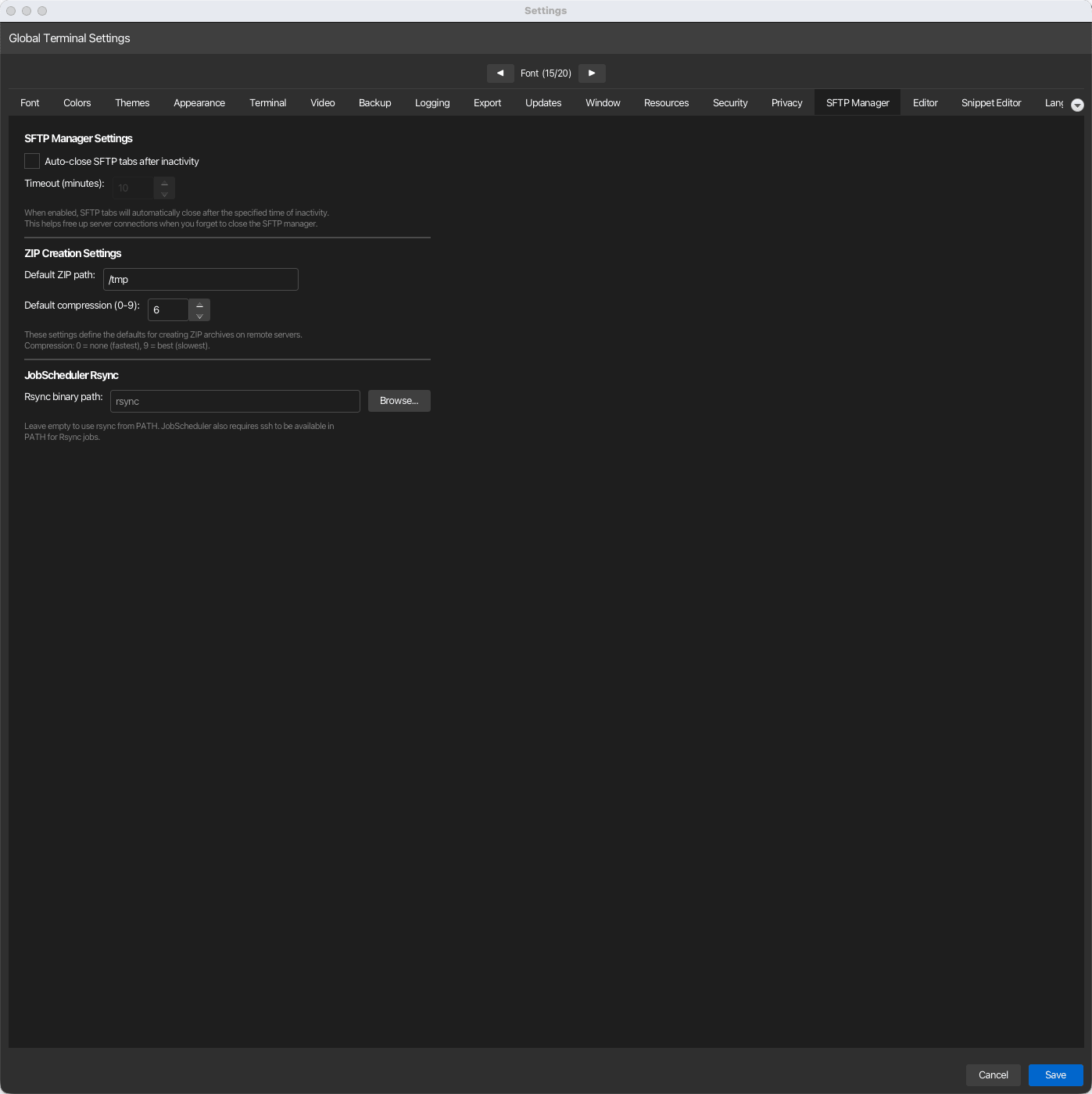
SFTP Manager Settings
| Setting | Type | Values | Default | Stored as |
|---|---|---|---|---|
| Auto-close SFTP tabs after inactivity | toggle | — | Off | sftpAutoCloseMinutes (unset or 0) |
| Timeout (minutes) | number | 1–120 | 10 | sftpAutoCloseMinutes |
Auto-close
An idle SFTP tab closes itself after the timeout, which frees the server-side connection when you forget to close the manager. The timeout field is only editable while the toggle is on, and the two share one stored value: switching the toggle off stores no timeout at all. While uploads or downloads are running the tab counts as active, so it never closes itself in the middle of a transfer.
Transfers
How uploads and downloads in the transfer list work. Changes apply to SFTP tabs opened afterwards.
| Setting | Type | Values | Default | Stored as |
|---|---|---|---|---|
| Parallel transfers | number | 1–8 | 3 | sftpParallelTransfers |
| When the target already exists | choice | Ask (with "apply to all"), Skip the file, Overwrite | Ask | sftpConflictDefault (ask, skip, overwrite) |
| Resume interrupted transfers | toggle | — | On | sftpResumePartialTransfers |
| Keep the partial file when a transfer is cancelled | toggle | — | Off | sftpKeepPartialOnCancel |
Parallel transfers
Each parallel transfer uses one SFTP channel of its own next to the one the tab browses with. Three channels give most of the speed on slow links and stay well below the usual server limit of ten sessions per connection; when the server refuses a channel, the tab quietly copies with fewer. A tab that borrows a terminal pane's session uses at most 2, whatever the setting says.
When the target already exists
Ask shows the file already exists dialog once per upload or download, with Apply to all. Skip the file and Overwrite answer it without asking; folders are merged either way. Overwrite never replaces a symbolic link, or a file where a folder is expected (and the other way round): those are still asked about.
Partial files
Every transfer writes into a .kortty-part file next to its target first. With Resume interrupted transfers on, a transfer that failed or lost its connection keeps that file, and Retry continues where it stopped after checking that the source has not changed. Switched off, the partial file is removed whenever a transfer does not finish, and a retry starts from the beginning. Keep the partial file when a transfer is cancelled also keeps it on Cancel, so a cancelled transfer can be resumed too; it can only be switched on while resuming is on.
Managed by your organization
An organization can cap Parallel transfers and set and lock When the target already exists with [rule.sftp], and switch file transfer off entirely with file-transfer = "deny"; the page then says so below the transfer settings.
External editor
The editor that Edit in External Editor in the SFTP file manager opens server files with.
| Setting | Type | Values | Default | Stored as |
|---|---|---|---|---|
| Editor command | text | A program and its arguments; {file} stands for the file |
empty (System text editor) | sftpExternalEditorCommand |
Editor command
Examples: code --wait {file}, subl -w {file}, "C:\Program Files\Notepad++\notepad++.exe" -multiInst {file}. Words are separated by spaces; put a path with spaces in double or single quotes. {file} is replaced by the full path of the local copy as one argument, and without {file} the path is added at the end. The command runs directly, never through a shell, so $VAR, %VAR%, ; and | have no special meaning. A command with an unclosed quote is marked red and not saved. Leave the field empty to open files as text with the system's editor: TextEdit (or your default text editor) on macOS, the Edit action (usually Notepad) on Windows, and on Linux the default application for text files; on Linux a file that is not plain text asks for an editor command first, which is then stored here.
ZIP Creation Settings
These are the defaults for creating a ZIP archive on the remote server from the SFTP manager.
| Setting | Type | Values | Default | Stored as |
|---|---|---|---|---|
| Default ZIP path | text | Remote absolute path | /tmp |
sftpDefaultZipPath |
| Default compression (0-9) | number | 0–9 | 6 | sftpDefaultZipCompression |
Compression levels
0 means no compression (fastest) and 9 the best compression (slowest).
JobScheduler Rsync
| Setting | Type | Values | Default | Stored as |
|---|---|---|---|---|
| Rsync binary path | path | — | empty (resolve rsync from PATH) |
jobSchedulerRsyncBinaryPath |
Requirements
Leave the path empty to use the rsync found on PATH. Browse picks a binary explicitly. Rsync jobs additionally require ssh to be available on PATH; see JobScheduler.